Max allows users to work with built in audio units, as well as, a users own audio plugins which are already installed on their computer (see Fig.4.1.).
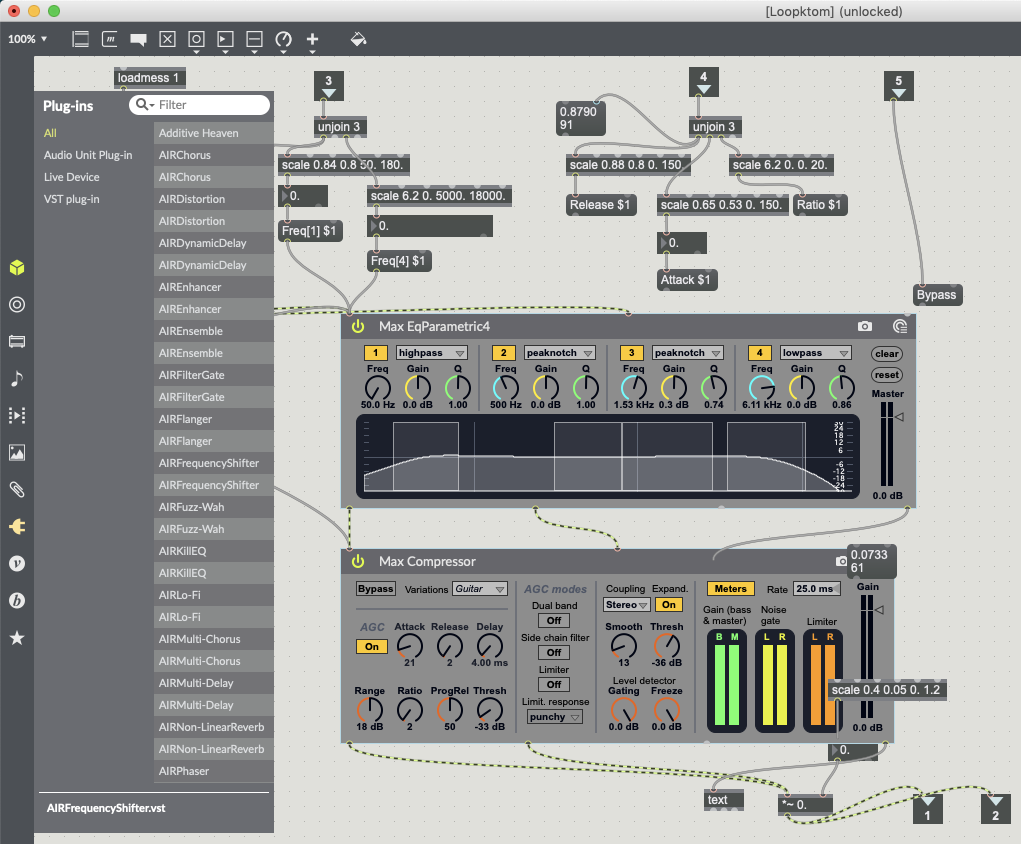
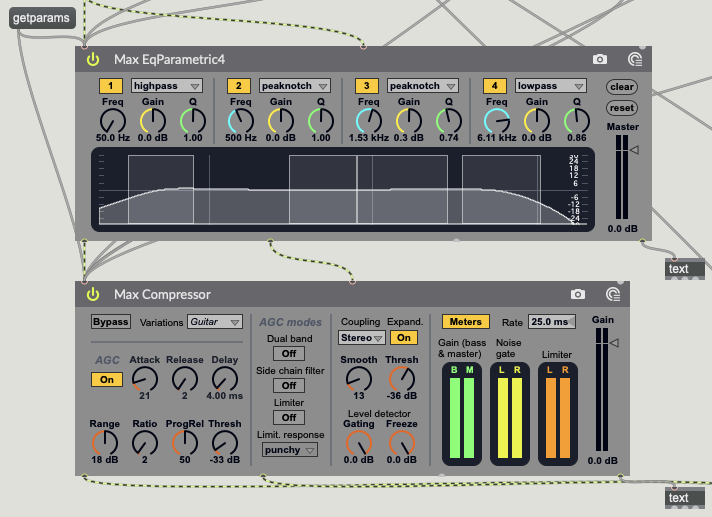
The amxd~ object is used to load a Max for Live object and covers a range of plug-ins from reverb to compression (Cycling74, 2019). In order for these plug-ins to work with the data being sent from the TuioClient, you first need to know which parameters of the plug-ins are controllable. Using the message “getparams” will send a list of all the plug-in parameters to the far right output of amxd~, this can be read using a text object, which will collate and formate the message into a line of data (Cycling74, 2019) (see Fig.4.2.).
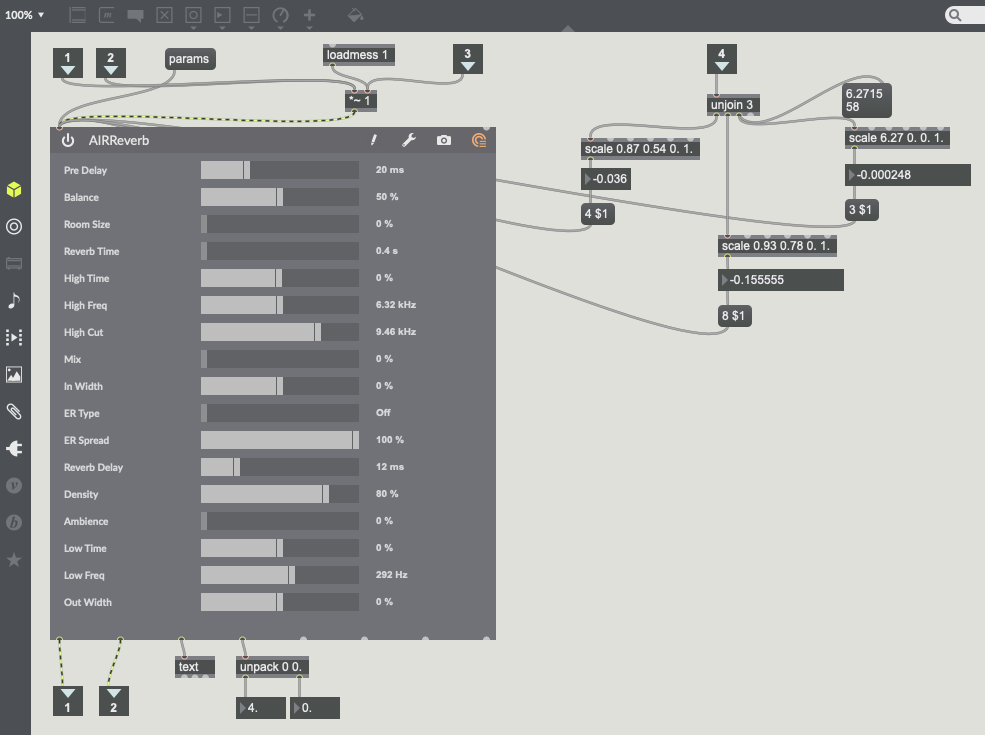
The vst~ object works in a very similar way to the amxd~ object. Parameters can be obtained using the message “params” and can be read via the same text object (Cycling74, 2019). The main difference between the two objects is the user interface within Max. The vst~ object has a different user interface as amxd~ objects have been pre-programmed to work in Max (see Fig.4.3.).

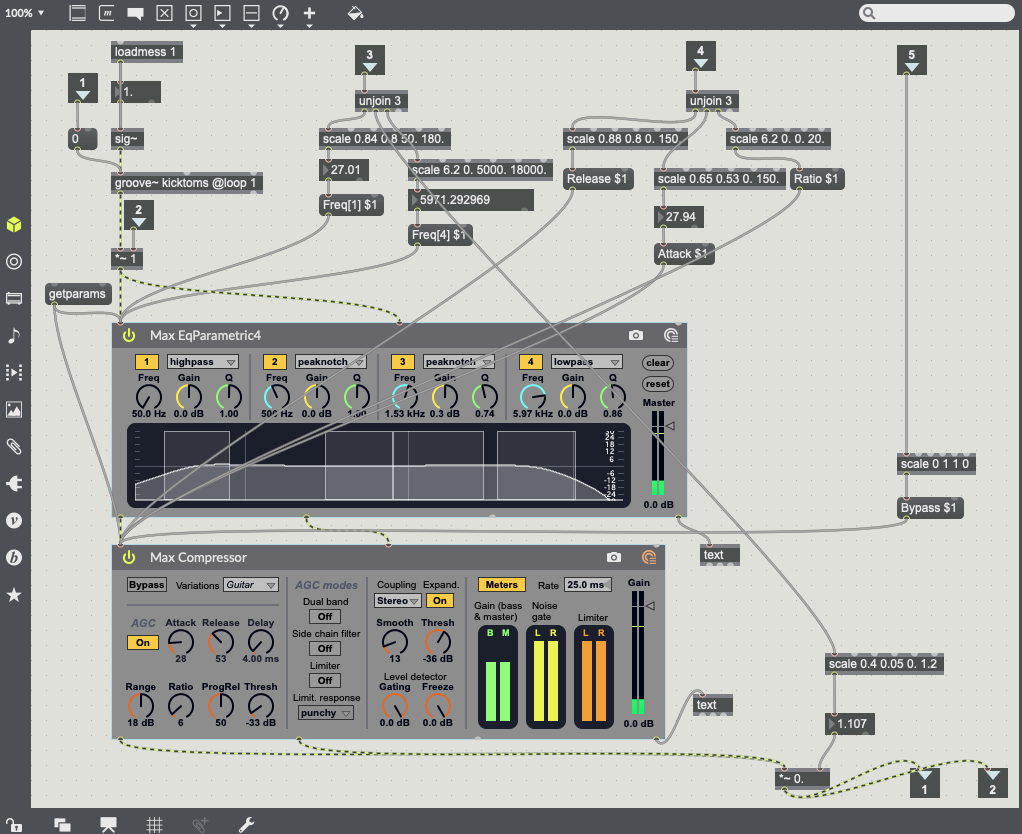
It is now that object parameters can start to be mapped to TuioClient data (X, Y and Rotation Data). Using a message box with a parameter name followed by a dollar sign and the number one (e.g. Attack $1) allows for an arguments value to be changeable (Cycling74, 2019). This works very efficiently with amxd~ objects (see Fig.4.4.) but not so well with vst~ object. I have found that vst~ object parameter names do not work within the message boxes and are not recognised. With vst~ objects the parameters are numbered not named. Use a message box with the number of the parameter you want to change (e.g. 5 $1) (Cycling74, 2019) (see Fig.4.5.).
References.
Cycling74, 2019. amxd~ Reference. [Online] Available at: https://docs.cycling74.com/max7/maxobject/amxd~ [18/04/2019].
Cycling74, 2019. Audiounit~ Reference. [Online] Available at: https://docs.cycling74.com/max7/maxobject/vst~ [18/04/2019].
Cycling74, 2019. Message Reference. [Online] Available at: https://docs.cycling74.com/max7/maxobject/message [18/04/2019].
Cycling74, 2019. Text Reference. [Online] Available at: https://docs.cycling74.com/max5/refpages/max-ref/text.html [18/04/2019].

 Interactive Sound Environments - MUS633